Stop leaking money from old YouTube links.
Channel Workbench scans your back catalog for broken affiliate links, expired sponsor URLs, missing Amazon tags, and other issues quietly costing you clicks, commissions, and trust.
- No credit card
- Read-only YouTube access
- We can't edit, upload, delete, or post anything
We only scan video descriptions, classify links, and show you what to fix first. Free forever plan; paid plans from $5 a month. Not ready to sign up? Check a channel's links without an account.
Get a consolidated snapshot within minutes.
The dashboard rolls scan volume, open findings, connected channels, and rough monthly revenue at risk into one view so you know fast whether today is a quick cleanup or a serious back-catalog rescue.
Find broken affiliate links before they waste another click.
Most creators have hundreds of videos and thousands of links. Channel Workbench connects to YouTube, finds broken affiliate links, missing Amazon tags, expired sponsor redirects, and stale URLs across your back catalog, then shows you a prioritized list of fixes instead of a noisy crawler dump.
- 1
Connect YouTube Read-only OAuth. We never touch uploads, comments, or community posts.
- 2
Audit the catalog We scan descriptions, classify links, and check redirect chains.
- 3
Fix what matters Open YouTube Studio, update the link with the suggested fix, mark fixed, and re-scan. The free Fix Assist extension brings your findings right into Studio — available for Chrome; Edge coming soon.
Broken affiliate links
Catch dead Skimlinks, Awin, and Impact links instantly — and dead or delisted Amazon products through Amazon's official API using your own Associates API credentials.
Dead sponsor redirects
Spot dead sponsor links and broken campaign redirects — the kind that quietly torpedo your CPMs.
Stale redirect chains
Detect 6-hop redirect chains, homepage fallbacks, and SSL issues that scare off buyers.
Missing affiliate tags
Find Amazon links that resolve fine but carry no tag= — clicks that send traffic to Amazon for free.
Low-rated products
Connect your Amazon API credentials and we flag products rated below 3.5★ so you can swap them for better-reviewed alternatives that actually convert.
Weekly health email
A short Monday digest: what broke this week, what's fixed, what's earning again.
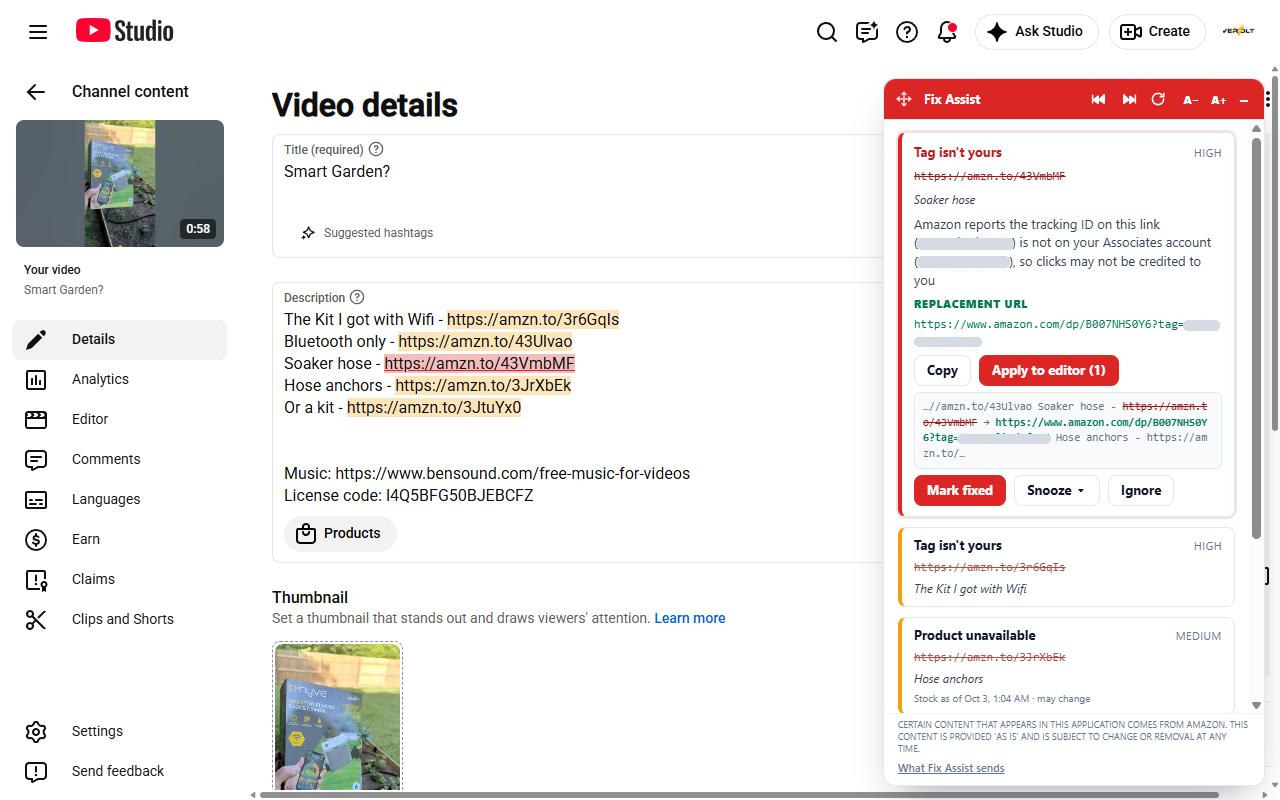
Your findings, inside YouTube Studio. You still click Save.
Fix Assist brings your fix queue into YouTube Studio's edit page, highlights the exact links that are costing you money, and preps the corrected text for your review. The only thing that ever saves a change to your channel is you.
- Flagged links highlighted right in the description
- A before/after preview of the exact edit
- Never presses Save, never holds write access
Available for Chrome; Edge coming soon. Not affiliated with YouTube or Google.
Free forever for new creators. Worth it the moment you have a back catalog.
New lower prices. Creator is now from $5 a month and Pro from $12 a month on yearly billing. Same plans, same features. Big back catalog, no appetite for a subscription? The one-time Catalog Audit starts at $29.
Starter
- 1 connected channel
- Summary of Channel Health
- Top 3 findings shown
- One scan / month
Creator
- 1 connected channel
- Up to 500 videos
- Weekly automatic scans
- Prioritized fix queue
- CSV export
- Weekly digest email
Pro
- Multiple channels (up to 5)
- Unlimited videos
- Daily scans
- Custom domain rules
- PDF client reports
- Priority support
Catalog Audit
- One channel, every video in the tier
- Full fix queue for 30 days
- CSV and PDF export
- Rescans while you clean up
- Creator or Pro afterwards at a credit
Quick answers
What permissions does it need on my YouTube channel?
Read-only access to your channel metadata, video list, and descriptions. We never request upload, comment, community, or analytics monetization scopes.
Will it edit my video descriptions for me?
No. Channel Workbench is read-only by design. You make edits in YouTube Studio yourself, then mark items fixed in the queue. We re-verify on the next scan. Available for Chrome (Edge coming soon): Fix Assist, a free browser extension that shows your findings right inside Studio, suggests replacement links, and preps the exact edit for your review — you still click Save, and we still can't touch your channel.
How does it tell affiliate links from sponsor links?
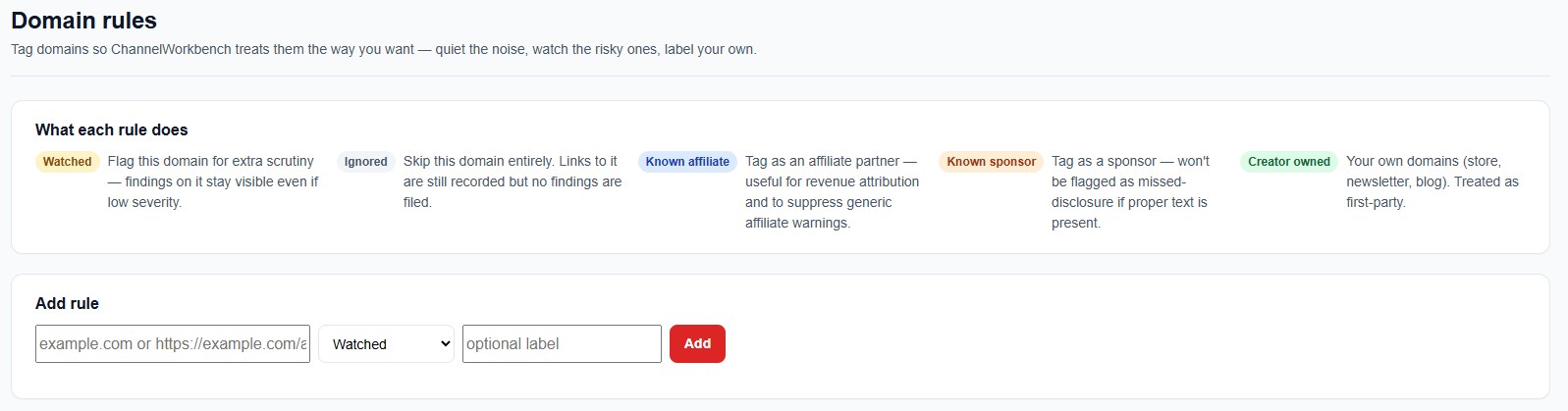
A rules-based classifier inspects the host, query parameters (Amazon tag=, eBay campid=, etc.), affiliate networks like Skimlinks/Awin/Impact, and sponsor keyword cues in the surrounding line. You can also flag specific domains as creator-owned.
Why do I need my own Amazon API credentials?
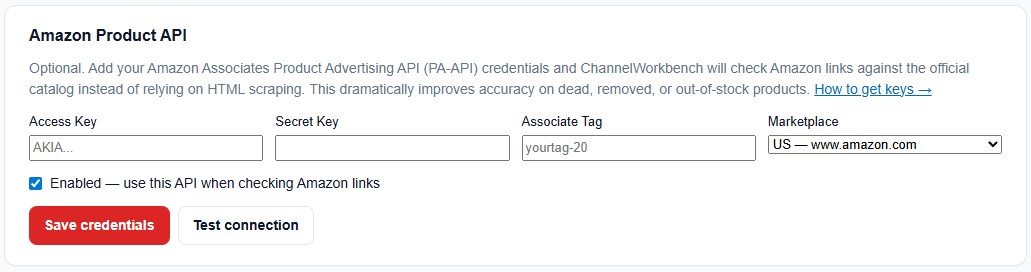
Because we never scrape Amazon. Stock, availability, and rating checks run through Amazon's official Creators API, and Amazon issues those credentials to eligible Associates accounts at no charge. Using your own credentials keeps every check compliant with Amazon's terms and protects your Associates account. Connecting them is included on every plan, including the free Starter plan, and a step-by-step guide walks you through it. Without credentials, your Amazon links still get liveness, dead-shortlink, and missing-tag checks.
Are my Amazon credentials safe, and what if Amazon hasn't approved me for its API?
Your credentials are stored encrypted, used only for your own workspace, and never shared; you can remove them at any time. Amazon requires at least 10 qualifying sales within the past 30 days for Creators API access. Until your account qualifies, you still get every broken-link, redirect, and missing-tag check, and you can connect later.
Can I tune how the scanner works?
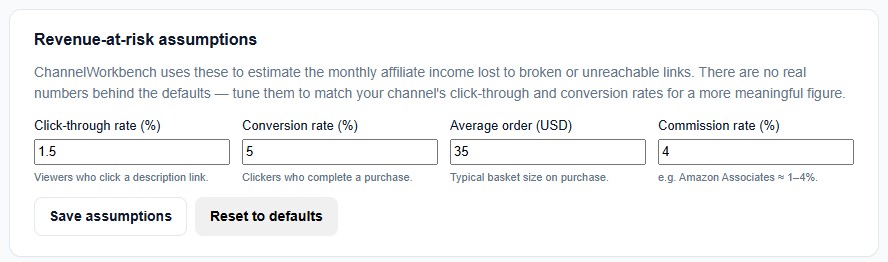
Yes. Channel Workbench starts with sensible defaults, then lets you tune Amazon API credentials and revenue assumptions on every plan — and on Pro, custom domain rules for ignored domains, sponsor domains, and creator-owned properties.
Can I really test it for free?
Yes. The Starter plan is free forever and gives you a full-channel audit: a Summary of Channel Health plus your top 3 findings, with one scan per month. Upgrade to unlock the full report and full fix queue.
How do I get started?
Create an account, connect your YouTube channel with read-only access, and run your first free channel audit. You can upgrade when you are ready to scan more of your catalog and enable monitoring!
Run your first free channel audit.
Create an account, connect your YouTube channel with read-only access, and see what to fix first. No credit card.
Scan my channel free